Most technical SEO checklists are alphabetical. That is useless when you have limited time, because the items are wildly unequal — one of them takes your entire site out of the index and another adjusts a meta tag nobody reads.
This list is ordered by blast radius.
Tier 1 — these break the site entirely
- Settings → Reading → “Discourage search engines” is unchecked. Check this first, every time. It is switched on during development and forgotten at launch more often than any other setting, and it silently blocks the entire site.
- robots.txt serves real rules and a working sitemap URL. Visit it. A placeholder domain in the sitemap line is a common leftover.
- The sitemap loads and contains your real URLs — including custom post types, which are frequently missing.
- Canonical tags point to the correct URL. A canonical pointing at the wrong page tells search engines to ignore the page you are on.
- One version of the domain resolves. Pick www or non-www, http or https, and 301 everything else to it.
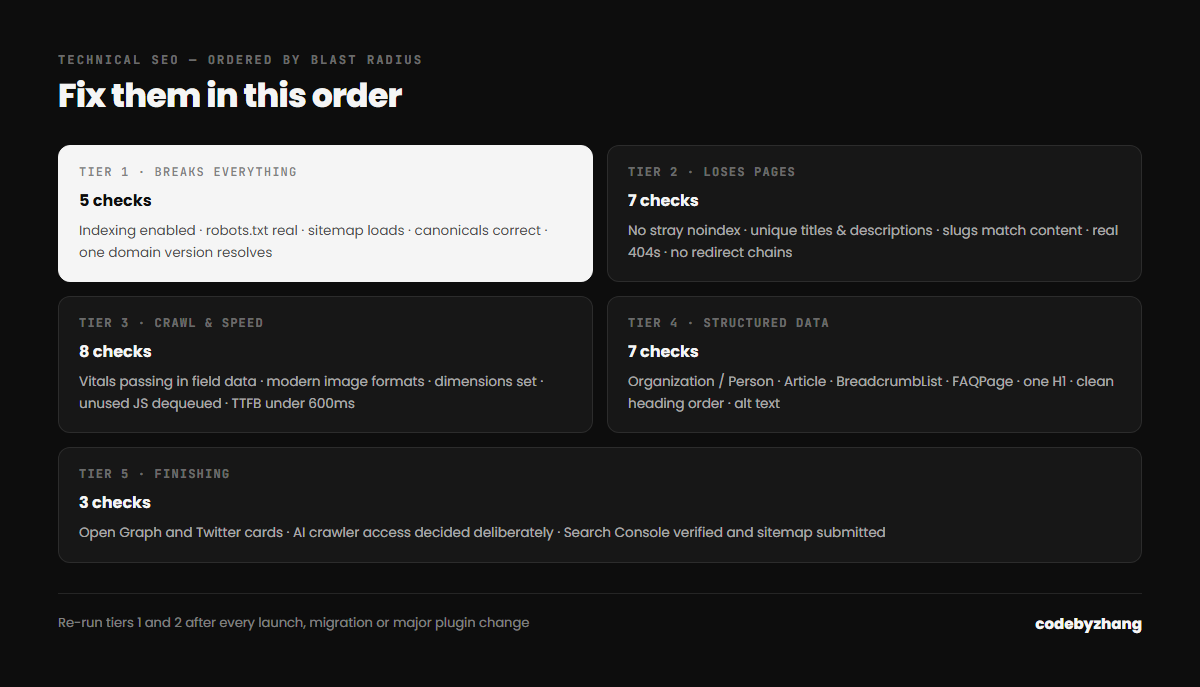
Tier 2 — these lose you specific pages
- No
noindexleft on pages that should rank. Check templates for hardcoded robots meta tags — these are almost impossible to spot from the front end. - Every page has a unique title and meta description.
- Slugs match their page content. A page titled one thing sitting at a URL about something else confuses both users and crawlers.
- 404s return a real 404 status, not a 200 with an error message.
- Redirect chains collapsed — A to B to C should be A to C.
- Pagination handled correctly on archives.
- Internal links use absolute, canonical URLs consistently.
Tier 3 — performance and crawl efficiency
- Core Web Vitals passing in Search Console field data, not just Lighthouse.
- Images in WebP or AVIF with correct
srcset. - Width and height on every image, to prevent layout shift.
- The hero image eager-loaded and preloaded; everything else lazy.
- Unused CSS and JavaScript dequeued per template.
- Server response under 600ms.
- Caching configured, and verified as actually serving cached responses.
- No render-blocking resources in the head that could be deferred.
Tier 4 — structured data and semantics
- Organization or Person schema with a stable
@id. - Article schema on posts, with accurate published and modified dates.
- BreadcrumbList schema matching real navigation.
- FAQPage schema where you have genuine FAQs, mirroring visible content.
- One H1 per page that describes the page.
- Heading hierarchy that does not skip levels.
- Descriptive alt text on meaningful images; empty alt on decorative ones.
Tier 5 — the finishing pass
- Open Graph and Twitter card tags with a correctly sized image.
- AI crawler access decided deliberately in robots.txt.
- Search Console and analytics verified, with the sitemap submitted.
How to run this
Work top to bottom and stop when you run out of time — you will have fixed the expensive things. Running it bottom-up is how sites end up with immaculate structured data and a noindex on the homepage.
Re-run tiers 1 and 2 after every launch, migration or major plugin change. Those are the moments when settings silently revert.
This is the same pass I run before touching any project, and it is what a full site audit covers. If you want the results for your site rather than a checklist, send me the URL.